Your people. A whole new energy.

Your photos. Your rap duo. Your stage.

Turn two photos into an AI rap video with sound. From a birthday surprise to a rooftop session. Same faces. A different kind of memory.

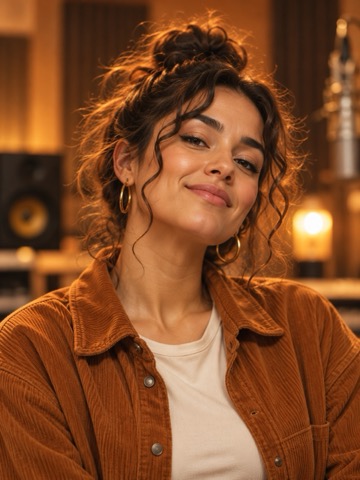
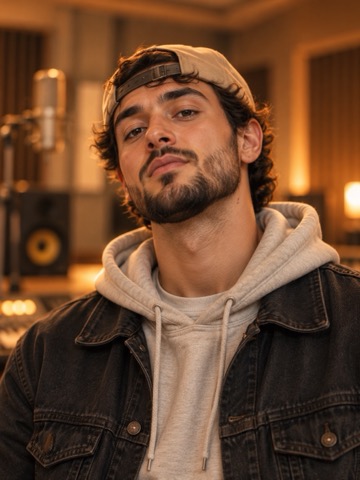
Original AI portrait of the woman in all four examplesOriginal AI portrait of the man in all four examples

These two photos. Four real takes.10 seconds · Vertical video · Generated sound

The Studio Session

Real generations, made with our two-photo workflow.

Two photos inFour moods to try10-second performanceSound included

The same faces. Four different moods.

Find your kind of loud.

A little studio swagger. A birthday surprise.
Press play, find your vibe, then step into the frame.

For your group chat

The Studio Session

A shared mic, a warm room, and your new favorite duo.

10 sec · 9:16 · With sound

Lyrics & video details

Automatic transcript · may contain errors

Two photos, one beat.
We step into the light.
Good friends, big dreams.
We keep the rhythm tight.
Side by side, our story on the mic.

Made October 25, 2026. This full run took 5m 42s. Actual file: 10.031 seconds, 720 × 1280, 30 fps. AI-generated vocals and music.

Open caption file
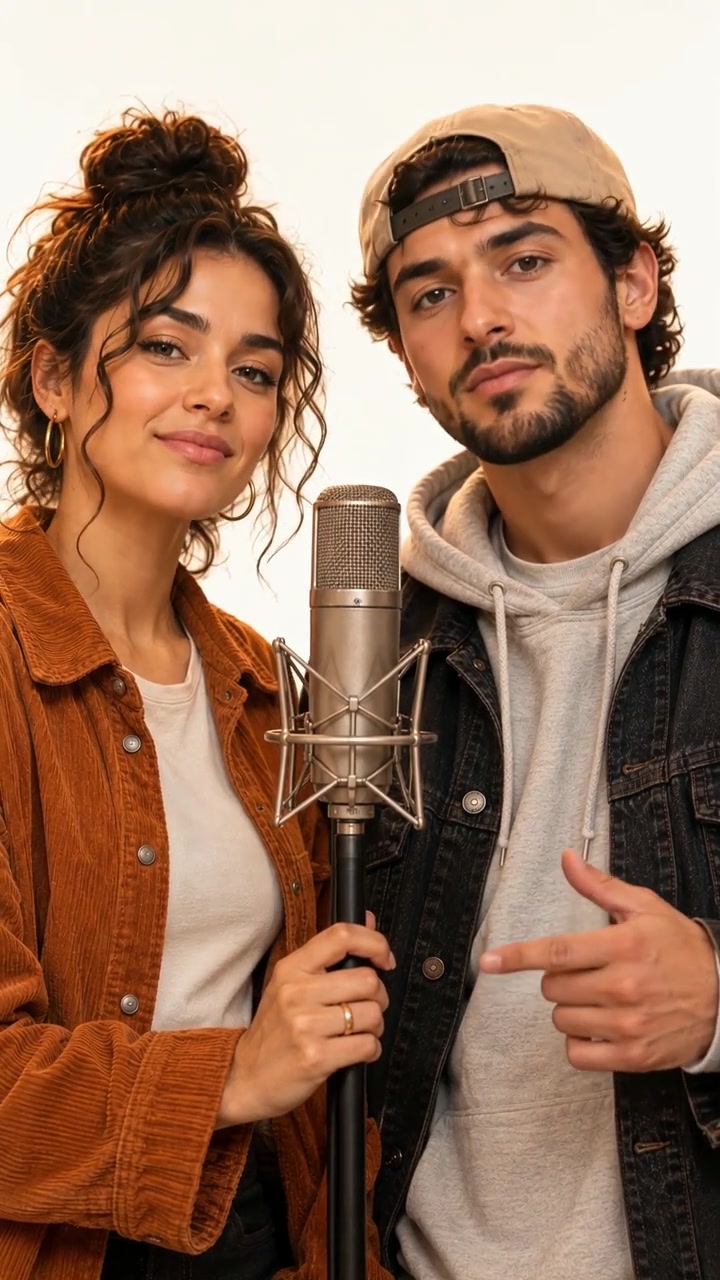
A birthday surprise

The Birthday Take

Trade the birthday card for a ten-second celebration.

10 sec · 9:16 · With sound

Lyrics & video details

Automatic transcript · may contain errors

Your day, your time, let the good vibes shine
Another year, another rhyme, we celebrate and style
Hands up, hide this moment is yours

Made October 25, 2026. This full run took 6m 03s. Actual file: 10.031 seconds, 720 × 1280, 30 fps. AI-generated vocals and music.

Open caption file
03 / REAL TAKE

After-dark energy

Neon Nights

City lights. A louder beat. Your main-character moment.

10 sec · 9:16 · With sound

Lyrics & video details

Automatic transcript · may contain errors

City lights late nights we make the skyline glow
Two friends, one mic now watch the rhythm flow
Our night, our sound let everybody know

Made October 25, 2026. This full run took 6m 12s. Actual file: 10.031 seconds, 720 × 1280, 30 fps. AI-generated vocals and music.

Open caption file
04 / REAL TAKE

For the good times

Golden Hour

Sunset skies and a laid-back beat for two familiar faces.

10 sec · 9:16 · With sound

Lyrics & video details

Automatic transcript · may contain errors

Golden Sky, good times we let the summer stay.
You and me, one beat we make our own way.
Hands to the sunset, this is our day.

Made October 25, 2026. This full run took 6m 09s. Actual file: 10.031 seconds, 720 × 1280, 30 fps. AI-generated vocals and music.

Open caption file

Now put yourself in the picture

Your turn.
Take the mic.

Pick your people. Choose your scene. We bring your portraits together in a short rap performance with sound.

The Studio Session selected scene
Your selected sceneThe Studio SessionExplore the four examples
One clear face per photo. Photo tips

From $5.99 · Pay once · No subscription

Public preview · checkout opens later

How to make a rap video from photos

  1. Add two portraits

    One of you. One of your friend. Start with clear, separate photos.

  2. Let AI make the duet

    AI brings both portraits into one frame, then adds movement and an original rap performance.

  3. Keep your moment

    Play the finished MP4 with sound. Download it when your session is ready.

How these real examples were made
How these examples were made. On October 25, 2026, we used GPT Image 2 through SeeAPI to compose the two portraits, followed by Wan 3.0 to generate a 10-second, 9:16 video with audio. All four downloaded files were checked: 720 × 1280, 30 fps, H.264 video and AAC stereo sound. Each complete run consumed 490 provider credits. These are actual model outputs, compressed for web playback with the generated audio kept unchanged. Captions are automatic and may contain errors.
What this test shows: two portraits can become a shared, audible performance in this workflow. Four examples do not establish a success rate or a timing guarantee. Face details, lyrics and lip sync can vary.
Model references: image composition · video and audio generation.
What this photo-to-rap workflow supports
What you want to makeThis studio’s approach
Two friends in a rap videoTwo portraits become one shared scene with movement and generated audio.
A birthday performanceThe Birthday Take adds a celebratory setting and themed rap direction.
An outdoor music-video lookNeon Nights adds city lights and a punchier beat; Golden Hour uses a sunset rooftop and a laid-back rap direction.
Exact lyrics or a familiar voiceExact wording and voice cloning are not offered. Review the generated result.
A video for an existing songUploaded music tracks are not supported in this workflow.

Simple pricing

One duo. A few more takes.

One-time video packs. No monthly commitment.

Single

$5.99

1 video

For your first moment on the mic.

10 sec · 9:16 · With sound

Crew Pack

$22.99

5 videos

About $4.60 per video

10 sec · 9:16 · With sound

PayPal planned for launch

Proposed prices in USD. Checkout is not open. Final specifications and purchase terms will be confirmed before sales begin.

The studio, at a glance

Can two photos
become a rap video?

AI Rap Video VIP turns two separate adult portraits into a short, shared rap performance with generated vocals and music. Choose a scene, let AI bring the duo together, then play and download the vertical MP4 in the connected studio.

Think a birthday surprise for a friend, a session for the group chat, or a sunset performance together. You do not need to film yourselves or record a voice track.

The current workflow uses two portraits and four preset scenes. Custom lyrics, uploaded songs and voice cloning are not available. Faces, words and lip sync can vary.

Watch the four real takes

What goes in. What comes out.

Your input
2 separate adult portraits
JPG, PNG or WebP · up to 10 MB each
Your scene
Studio · Birthday · Neon Nights · Golden Hour
Sample video
10 seconds · 9:16 · 720 × 1280
MP4 · 30 fps · generated vocals & music
Observed time
5m 42s to 6m 12s
Four complete runs; timing can vary
Available now
Free sample playback
Connected local studio · public checkout not open

Sample facts checked by AI Rap Video VIP. Four examples show this workflow’s output; they do not establish a success rate. See how they were made.

Before you step up to the mic

Good photos.
A better starting point.

A few simple choices help make your two portraits easier to work with.

A few things to know

Before the
first take.

What to bring, what you can choose, and what to expect from your video.

Getting started

What is an AI rap duo video?

An AI rap duo video is a short AI-generated music performance that brings two people into the same rap scene. AI Rap Video VIP starts with two separate portraits, composes a shared performance frame, then generates movement and audio. The examples on this page are actual outputs from that workflow.

How do I make a rap video from two photos?

Choose one clear adult portrait for each person, pick a Studio, Birthday, Neon Nights or Golden Hour session, and confirm that you have permission to use both photos. In the connected studio, AI combines the portraits and generates a vertical video with sound. Once it is ready, play and download the MP4. Public checkout is not open yet.

Do we need to be in the same photo?

No. Use two separate portraits, with one adult in each image. The photos can be taken in different places; the image-composition step brings both people into a shared scene. This studio is designed for two portraits and does not currently offer a dedicated single-selfie mode.

Which photos should I use?

Use two separate, well-lit portraits with one adult face in each. Keep faces unobstructed and avoid group shots, strong filters and very blurry images. The studio accepts JPG, PNG or WebP files up to 10 MB each, with dimensions of at least 240 × 240 pixels and no more than 40 megapixels. Only use photos you have permission to use.

Do I need to record my voice or upload music?

No recording is needed. The video-generation step creates the rap vocals and instrumental audio along with the performance. Those voices are generated, not copies of the people in your photos. The current studio does not accept uploaded songs, voice recordings or a custom lyric script.

Your scene & sound

Which rap video styles can I choose?

Choose The Studio Session for a warm recording-room scene, The Birthday Take for a celebration, Neon Nights for a city setting, or Golden Hour for a sunset rooftop. Each choice changes the scene and rap direction. You choose the two portraits and the session; camera movements, exact words, voices and individual gestures are generated rather than separately controlled.

Can I make a birthday rap video for a friend?

Yes, the connected studio includes a Birthday Take that uses the same two-photo workflow with a celebratory setting and birthday-themed rap direction. The example on this page shows an actual generated result. Custom names, exact lyrics and a specific song are not currently offered.

How is this different from a rap lyrics generator?

A lyrics generator writes text. This studio creates a visual performance from two portraits, with movement and generated audio in one video. It does not currently accept an uploaded song or offer voice cloning. If your main requirement is exact written lyrics or an exact music track, this workflow does not provide that control.

Will the voices, lyrics and lip sync be exact?

No. The voices are AI-generated and do not clone the people in the photos. Lyrics and mouth movements are guided by the creative direction, but exact wording, singing style, voice identity and frame-perfect lip sync are not guaranteed. Faces, hands and gestures can also change. Review the complete video before sharing it.

The finished video

Are these real video examples or animated mockups?

They are real SeeAPI generations made for AI Rap Video VIP on October 25, 2026. All four samples started with the two fictional AI adult portraits shown on this page. A separate image-generation step composed the duo before video generation. The performance was not manually retouched. Video was compressed for web playback and the generated audio was kept unchanged.

What video format and sound do I get?

All four tested samples are approximately 10 seconds long, 720 × 1280 pixels in a 9:16 vertical frame, at 30 frames per second. They are MP4 files with H.264 video and AAC stereo audio. The sound is generated with the performance. These are verified sample specifications, not a guarantee that every future input will produce the same quality.

How long does generation take?

Our four complete sample runs took 5 minutes 42 seconds (Studio), 6 minutes 3 seconds (Birthday), 6 minutes 12 seconds (Neon Nights) and 6 minutes 9 seconds (Golden Hour), including image composition, video generation and saving. These are four observations, not an average or a delivery promise. Queue time and provider availability can change. The studio saves the project ID so you can return to the same session.

What if I close the page or a generation fails?

In the connected local studio, Return to your video reopens the saved project in the same browser, and a saved project link can reopen it while the local server and project files remain available. Check this session again checks that existing job; it does not order a new take. A failed generation is shown as failed and is not automatically replaced with another paid attempt. Customer refund terms will be published before checkout opens.

Cost & your photos

Can I watch examples for free before paying?

Yes. All four examples on this page play for free, with sound and optional English captions. No account or payment is required to watch them. Creating a new video in the connected local studio uses the operator’s SeeAPI credits. Public customer generation and checkout are not open yet; free sample playback is not a free generation offer.

How much does a rap video cost?

The proposed one-time packs are $5.99 for 1 video, $14.99 for 3 videos and $22.99 for 5 videos, in USD, with no subscription planned. Public checkout is not open. The connected local studio uses the operator’s SeeAPI credits; each published sample consumed 490 credits. Provider credits and the proposed customer price are different.

What happens to my uploaded photos?

Selecting photos previews them locally. Confirming generation in the connected studio uploads them to private project storage and sends temporary access links to SeeAPI. Those links expire after 72 hours; cloud inputs are deleted after 7 days. Local projects and results remain on this computer until removed. SeeAPI applies its own retention terms. Only the four explicitly published example videos are public samples.

You know your duo.

Now picture your first moment on the mic.

Bring your photos

Your studio session

Meet your duo.

Two portraits, ready for their moment. Check your selection before continuing.

Your selected photo for this duo
You
Your friend's selected photo for this duo
Your friend
Single · 1 video$5.99 USD

Proposed launch price. No charge in this preview.

Generation is available in the connected local studio. Public checkout is not open.

About this preview

Privacy

Privacy settings

Your account